Overview
Translation Analytics provides visibility into how multilingual email communications perform by language. It enhances
Email Advanced Analytics reports for emails sent using Multilingual templates, allowing you to evaluate engagement across translated versions of the same message.
Translation Analytics breaks down performance metrics by language so you can evaluate the effectiveness of translated communications.
Use Translation Analytics to:
- Analyze engagement by language
- Identify languages with lower engagement
- Compare auto-translated and manually translated emails
- Optimize translation strategy and resources
How to access Translation Analytics
Translation Analytics data is available in Email Advanced Analytics reports.
To access Translation Analytics
- Navigate to Reports > Email.
- Open one of the following reports:
- Enterprise Overview
- Account Overview
- Performance
These reports include translation-specific metrics and filters for multilingual emails.
Enterprise Overview Report
On the
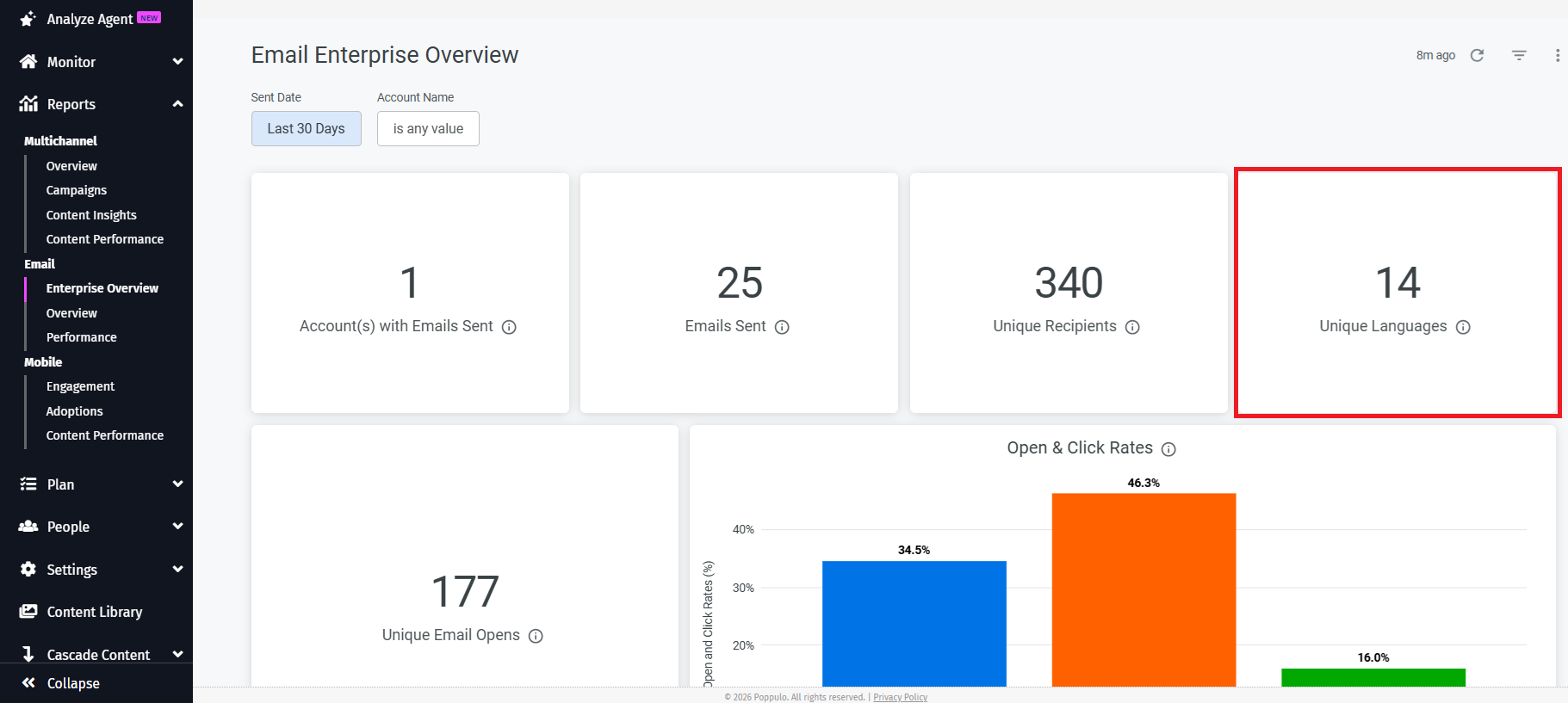
Enterprise Overview report, the
Unique Languages tile displays the total number of distinct translated languages used in emails during the selected reporting period. Use this tile to quickly understand how many languages are used across your organization’s communications.
Account Overview Report
On the
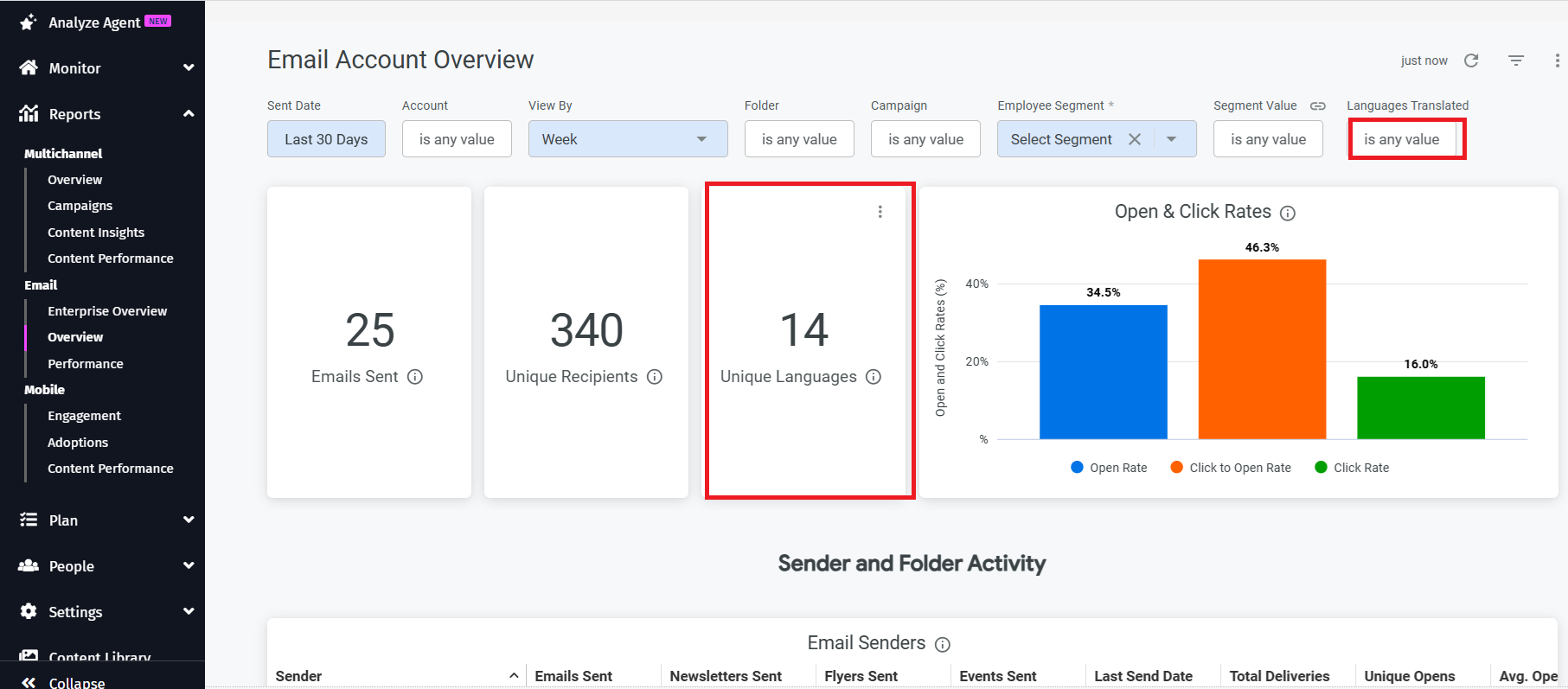
Account Overview report, the
Unique Languages tile shows the number of distinct translated languages used within the selected account and date range.
You can use the
Languages Translated filter to filter the dashboard by a specific translated language.
For example, Filter by Spanish to view engagement metrics for Spanish-language communications.
Email Performance Report
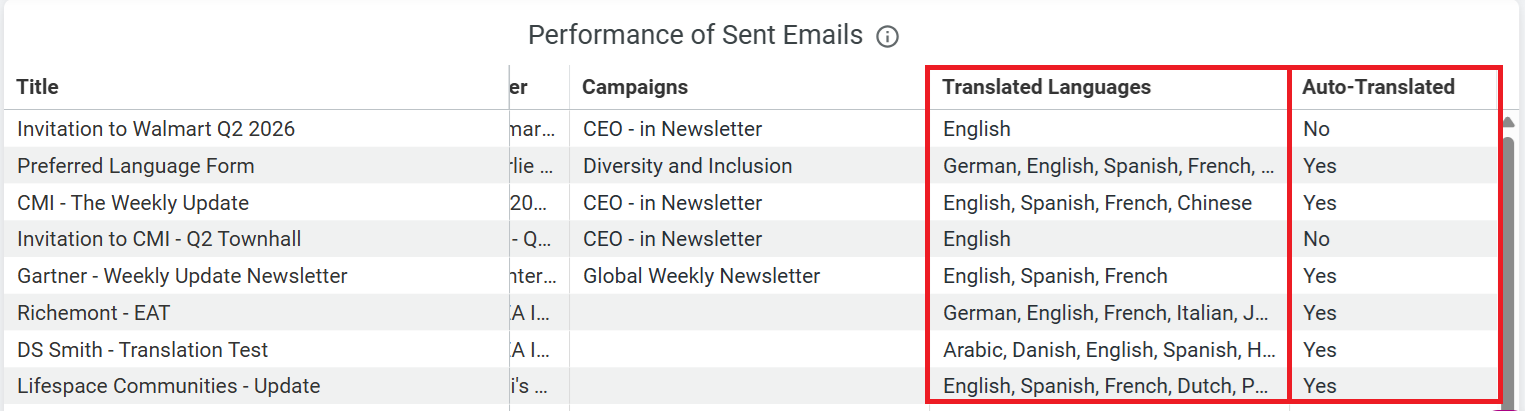
On the Email Performance report, the following two columns provides more insight into translated language report.
- Languages Translated column: Displays the languages an email was translated into. This allows you to quickly identify multilingual emails and see the languages included in each message.
- Auto Translate column: Indicates whether the email used automatic translation.
How to use the Filters
Languages TranslatedFilters the report to display engagement metrics for a selected language.
Auto-TranslatedFilters emails based on whether automatic translation was used.
Use this filter to:
- Compare performance of auto-translated and manually translated emails
- Evaluate the effectiveness of automatic translation
