The Tags tab, accessible in the Enterprise People Module lets you manage your Enterprise Tags. Use the instructions below to access the Tags tab. Enterprise People Tags can be used to create Sub-Account Lists.
To Access the Tags Tab:
-
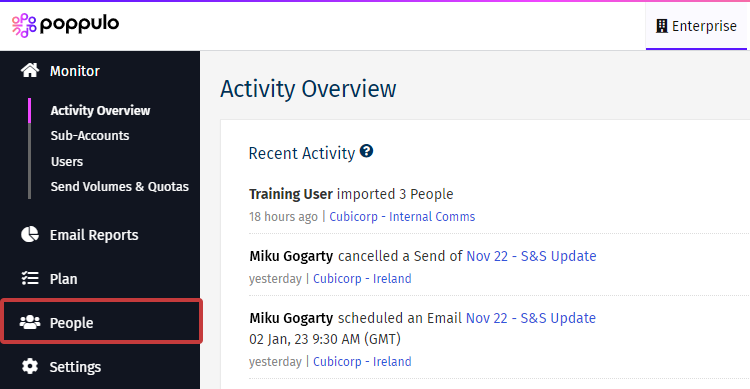
In Enterprise, choose People from the menu on the left.
-
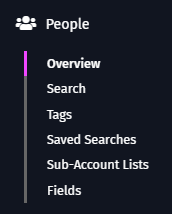
Select Tags from the sub menu.
-
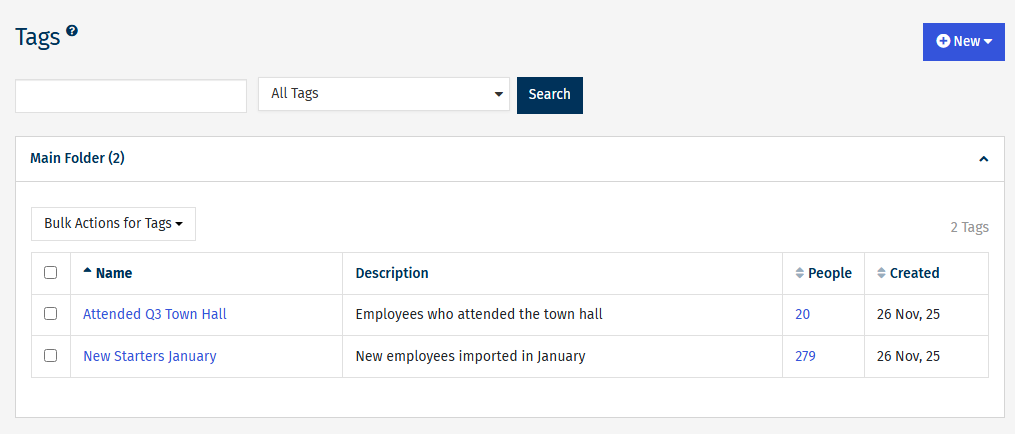
Manage your Tags as below. Tags at Enterprise level function similarly to Tags in a sub-account.
-
Tags at Enterprise level function similarly to Tags in a sub-account.
-
Click New to run a new tag or folder.
-
Use the search box to find a Tag.
-
Click the Tag name (eg: New Starters January) to edit the Tag.
-
Click the number in the People column to see the people included in this Tag.
