SMS is used for operational and time-sensitive workforce communications by text, such as site closures, service disruption, weather-related notices and other urgent operational updates where quick and reliable reach is essential.
Many organisations have a large share of their workforce without corporate email but with a mobile number on record. SMS is delivered inside the core Comms / Email experience rather than as a separate product, so communicators use the audiences, people data and permissions they already have. Messages are sent through your organisation's own Twilio account.
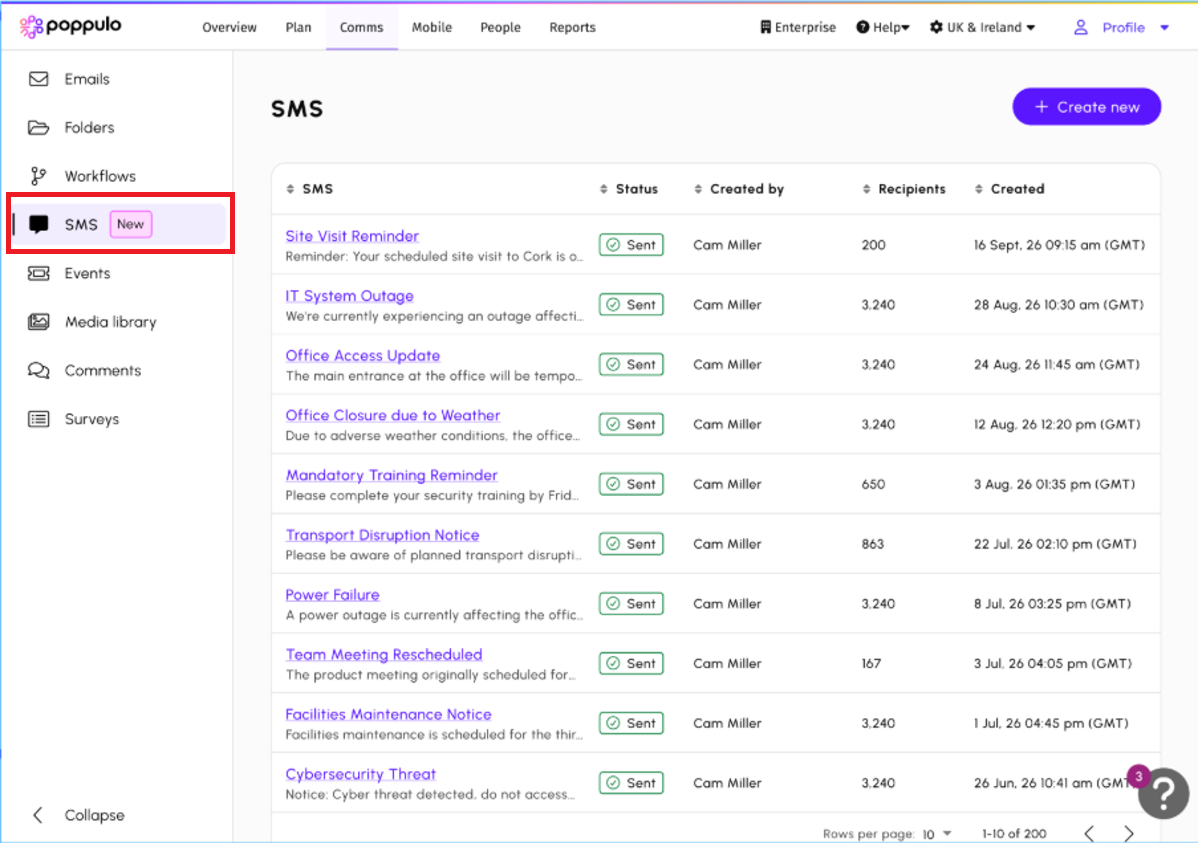
How to create SMS
- From the Comms screen, click SMS.
- Click +Create new. Provide the details as follow,
- SMS name - provide a name for the SMS. However, this is an optional step.
- Message - enter the details for your message.
- Audience - choose an audience that receives the message. Choose a Saved Search, or enter phone numbers yourself with the country code. Each number is validated as it is added. A number in the wrong format is shown in red and must be fixed.
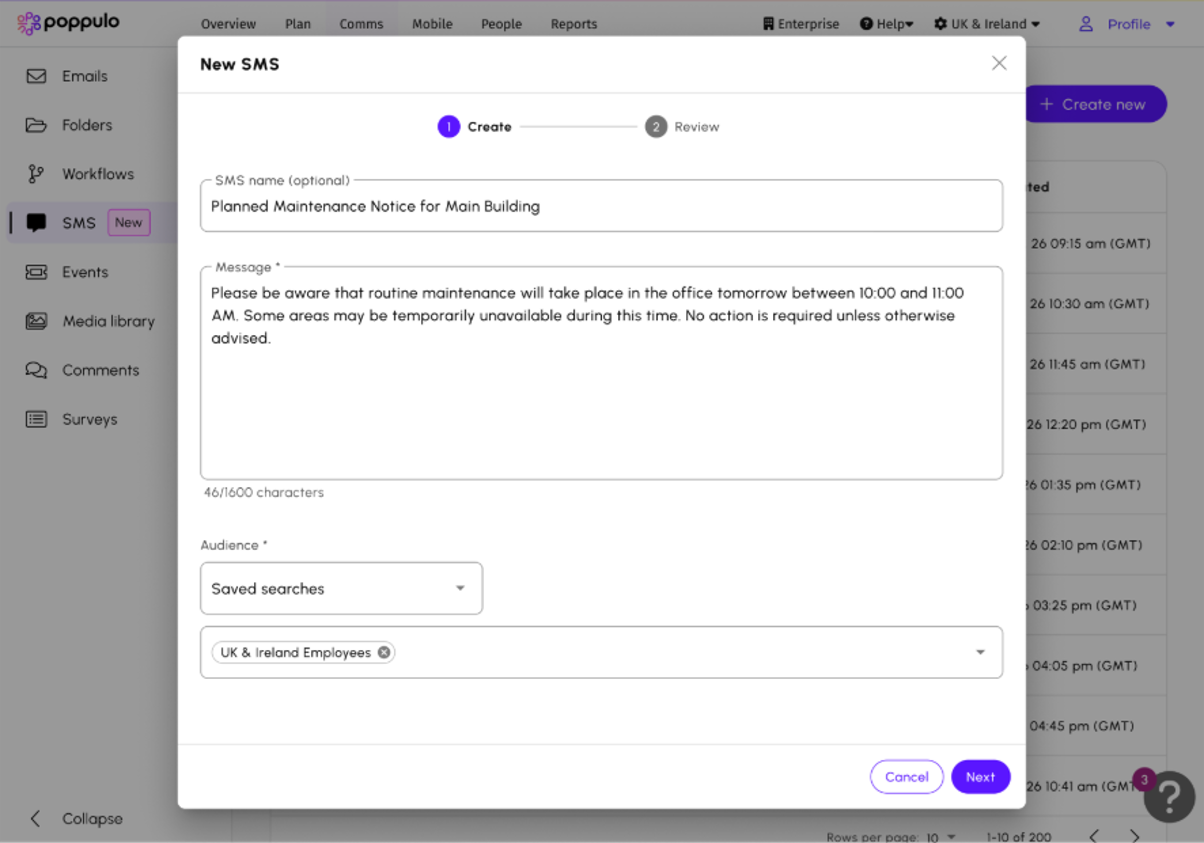
- Click Next.
- At Review, the audience is evaluated and you can see how many recipients have a valid mobile number. Recipients without valid numbers are skipped. You need to select the check box to confirm that your organisation is responsible for the recipients, content, timing, legal basis and compliance of the message, then select Send SMS.
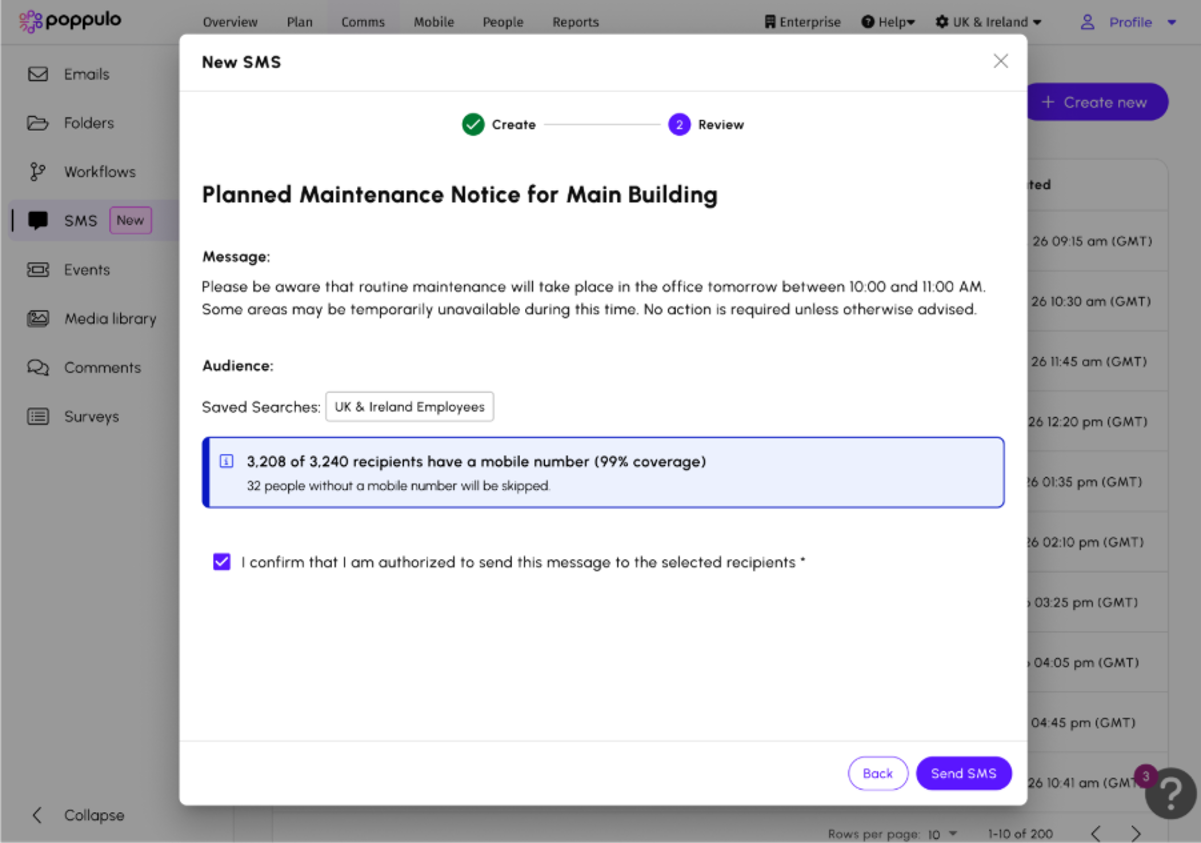
- Click Send. The messages are dispatched through your Twilio account to your selected recipients. The send shows as in progress, then the delivery summary updates with sent and undelivered counts from Twilio.
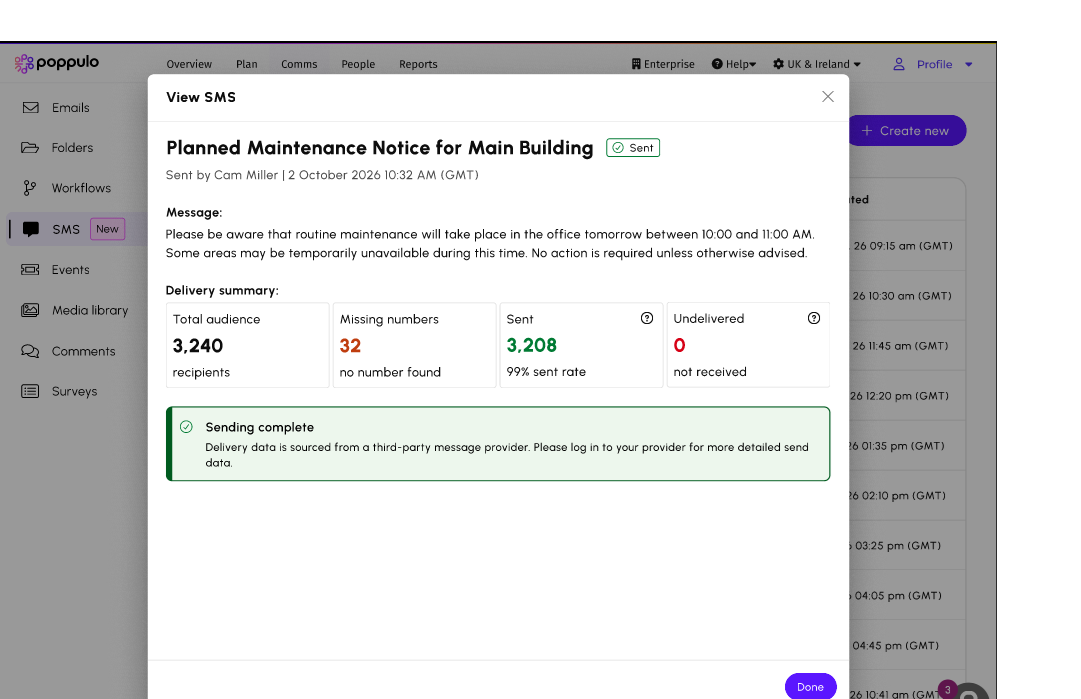
- The sent message appears in the SMS history list.
If the Twilio integration is not set up for your account, sending is not available and guidance is shown.
