SCIM (System for Cross-Domain Identity Management) is an open standard that allows your IT team to automatically create, update, and deactivate users in Poppulo through your Identity Provider (IdP), such as Microsoft Entra ID (Azure AD).
By enabling SCIM, it ensures that user management is secure, automated, and consistent with your Identity Provider acting as the single source of truth. It saves time for you and the Enterprise Admin as you are not manually creating or updating users.
You will find the following information:
What happens when SCIM Provisioning is enabled?
- Automatically create new users - Whenever a user is added to the appropriate group in your IdP, SCIM will provision them in Poppulo with the correct role and sub-account assignments.
- Keep user details in sync - Changes to attributes (such as name, email, job title, Employee ID) made in your IdP will automatically update in Poppulo.
- Automatically deactivate users - If a user leaves your organisation or is disabled in your IdP, SCIM will automatically deactivates their Poppulo account.
- Group Association - SCIM uses Groups to provision users into Poppulo and after these Groups are created, you can manually associate them with the appropriate roles and account access. This allows your organisation to maintain full control over how users are positioned within the platform, while still benefiting from automated user lifecycle management through SCIM.
Benefits of using SCIM
- Centralised user management - Your IT team controls all users and attributes from your Identity Provider.
- Improved security - Deactivations happen automatically, reducing the risk of maintaining active accounts for former employees.
- Reduced admin workload - No more manual user creation or updates, everything syncs directly from your IdP.
- Consistency across systems - Users always have up-to-date profiles and the correct permissions based on their group membership.
How SCIM Works With Your Identity Provider?
Poppulo supports SCIM 2.0, which integrates with providers like Microsoft Entra ID.
SCIM manages:
- User creation
- User attribute updates
- User deactivation
SCIM does not manage:
- Roles
- Permissions
- Sub-account assignments
- Group or access controls inside Poppulo
These must be assigned manually by an Enterprise Administrator.
Note: Entra provisions every ~40 minutes by default.
How to enable User Provisioning with SCIM?
- As the Enterprise Administrator, you will need to update your settings by switching the User Provisioning toggle from Managed in Poppulo to Managed in Connected System. This will enable the User Groups feature, which is required for SCIM provisioning.
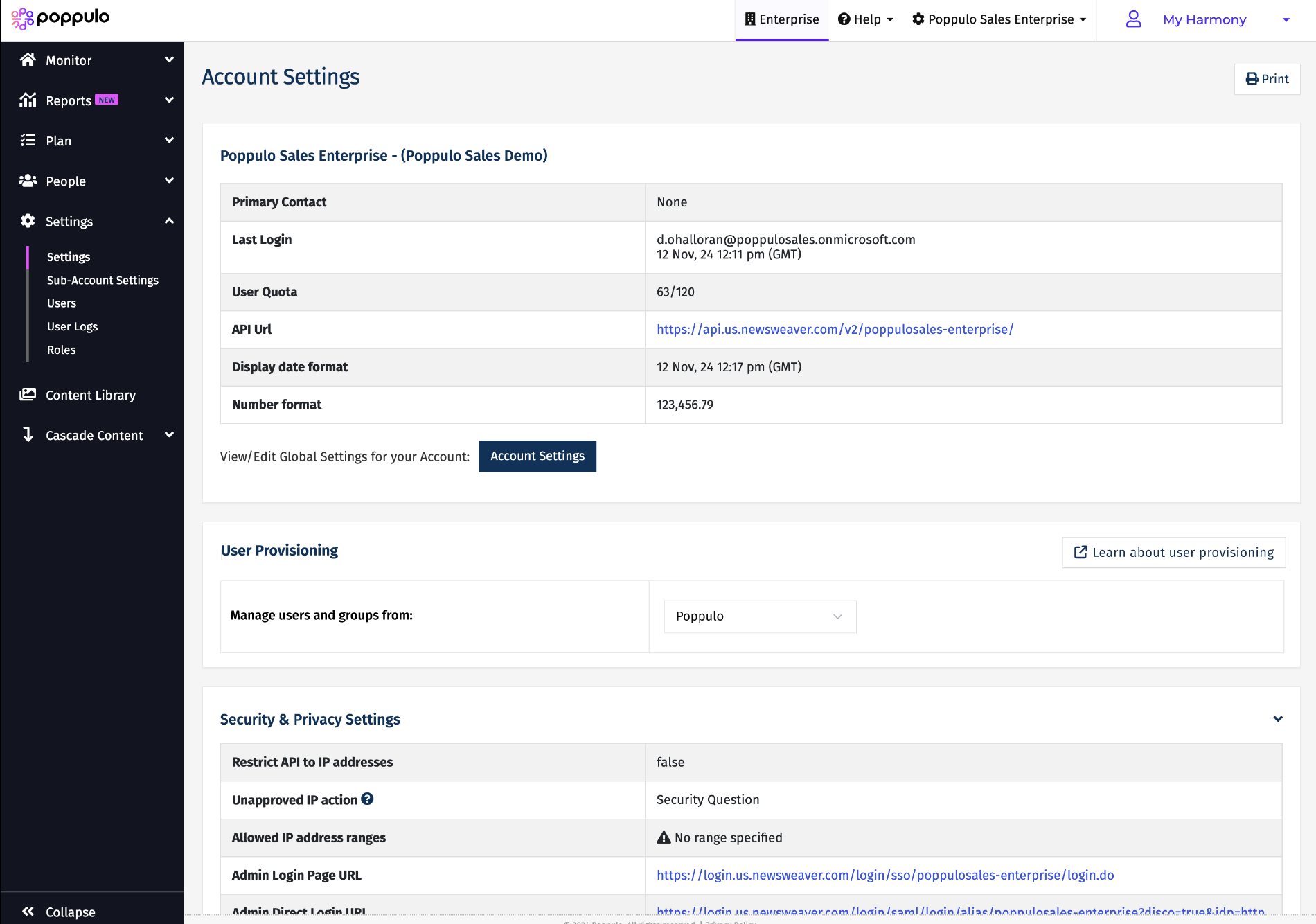
- The Switching to the connected system pop up window appears, click to Continue.
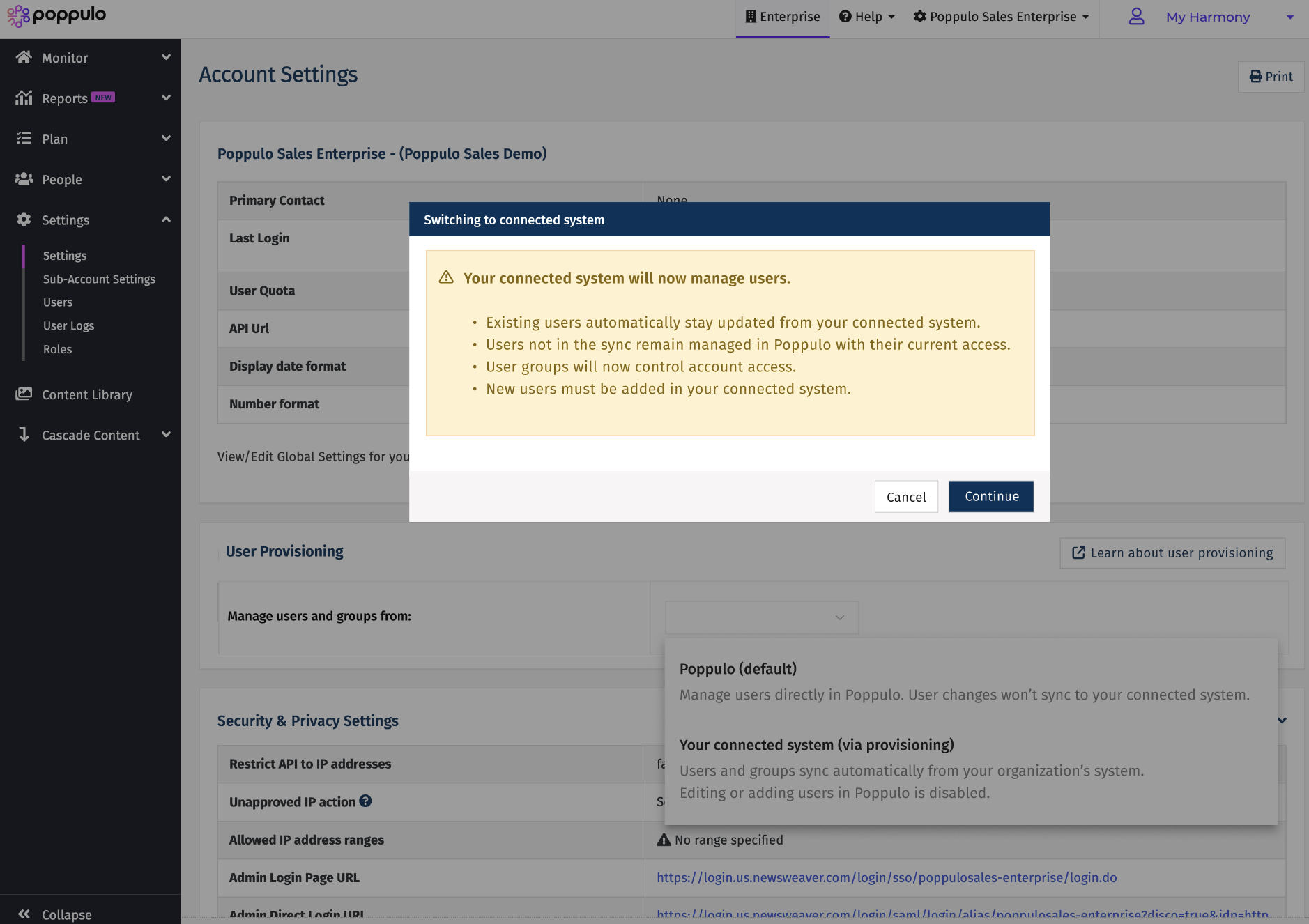
You can notice that the update is done to Your Connected System.
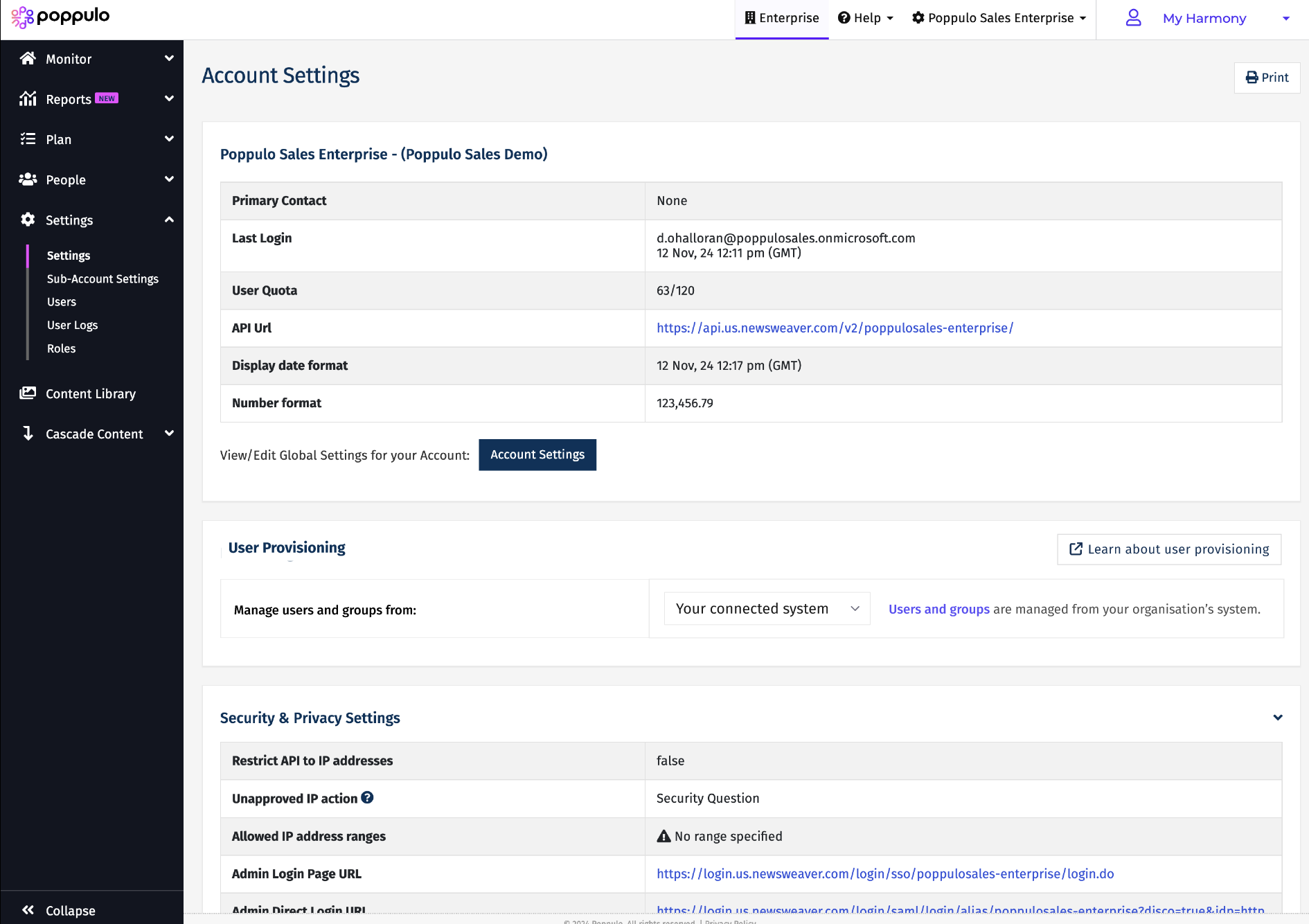
- Next, assign the Enterprise Integrations Manager role to your IT team. This role doesn’t consume a license but is required to create an API client integration for SCIM. Your IT team will then need to create an integration within API Clients.
- Your IT team should:
- Ensure all required users exist in the Identity Provider
- Verify that the key identifiers (email or Employee ID) match the corresponding Poppulo users
- Set up the correct groups for role and sub-account mapping
- Confirm there are enough licenses available
- Export a backup of existing users, groups, and roles (recommended)
- Once your IT team has configured the empty groups, the groups will appear in Users > User Groups (initially without users). Then, you need to assign the appropriate accounts and roles to each group. See example below.
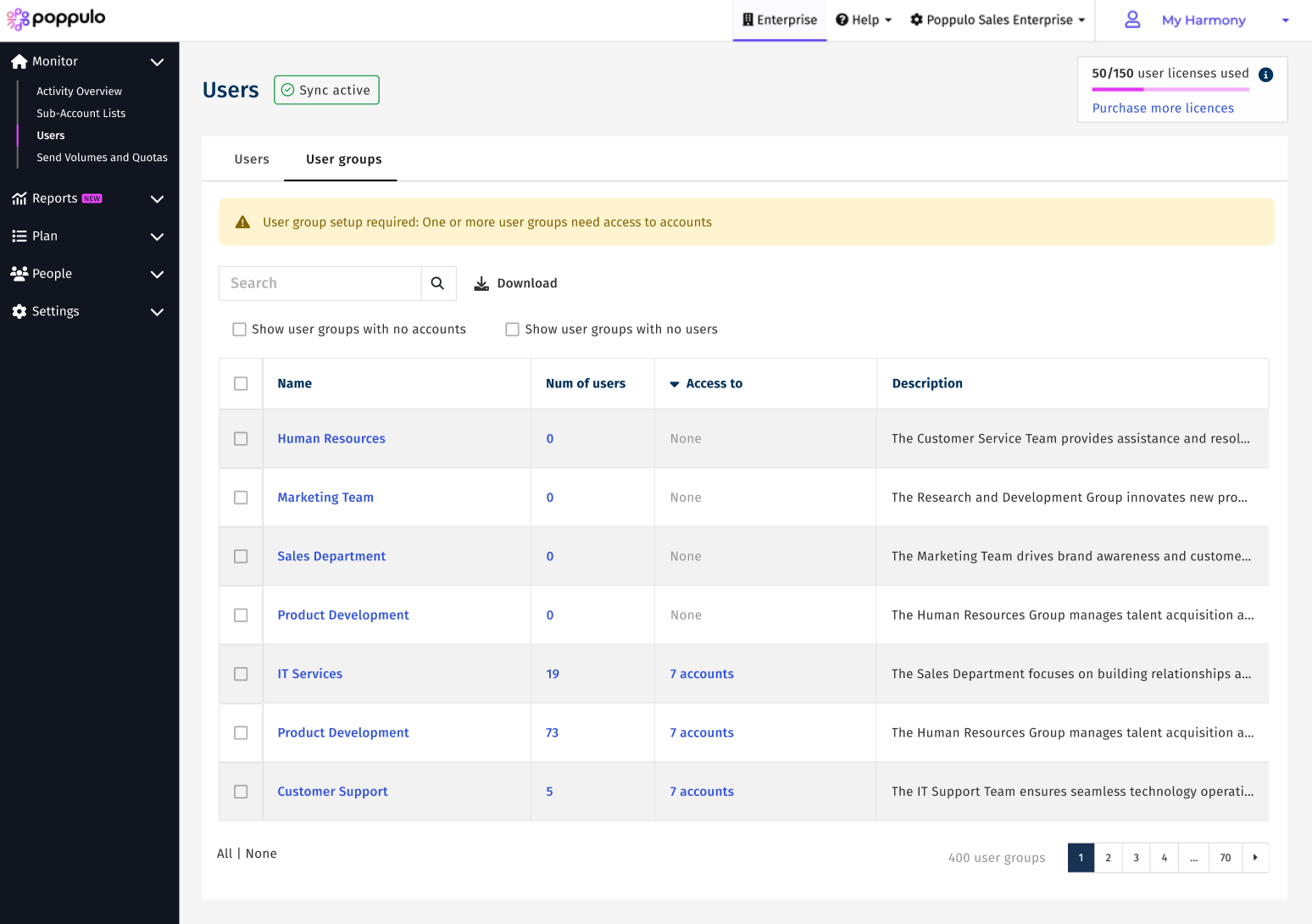
After you have configured group access, IT team can begin provisioning users into those groups.
After SCIM Is Enabled
Once the SCIM is enabled:
- Users managed by SCIM cannot be manually edited in Poppulo.
- Any manual changes may be overwritten by the next provisioning run.
- All updates must be made in your Identity Provider (Entra).
This guarantees that your IT team retains full control of user management.
If you need support configuring SCIM, mapping groups, or reviewing your current setup, refer SCIM FAQs
